
Download Unlocker 32 Bits – Free File & Folder Unlocker for Windows
Unlocker 32 Bits is a lightweight, free software tool designed to help Windows users unlock and manage locked files and folders. Whether you're dealing with stubborn system files, files in use by background processes, or those blocked by sharing violations, this powerful utility simplifies the process with just a right-click. With support for Windows 7, 8, 10, and 11, Unlocker 32 Bits is an essential tool for anyone who frequently encounters "Access Denied" or "File in Use" errors.
Its intuitive interface and minimal resource usage make it ideal for both beginners and advanced users. Despite being a 32-bit version, it runs efficiently on older systems, ensuring broad compatibility. The software is completely free to download and use, with no ads, in-app purchases, or hidden costs.
While some antivirus programs may flag it due to its low-level system access, Unlocker 32 Bits is safe and malware-free. Use it to unlock, delete, or modify files that are otherwise inaccessible — all in seconds.
Key Features of Unlocker 32 Bits
Unlocker 32 Bits stands out among file management tools thanks to its focused, no-nonsense approach. The software doesn’t try to do everything — instead, it excels at one critical task: unlocking locked files and folders. Here’s what makes it a must-have for Windows users:
- Right-Click Integration: The most convenient feature is the seamless integration with the Windows context menu. Simply right-click on any locked file or folder and select "Unlocker" to instantly access a list of processes using the file.
- Process Killer: If a file is locked because a program is actively using it, Unlocker 32 Bits allows you to terminate the process with a single click. This feature is invaluable when dealing with system files or applications that don’t close properly.
- Unlock & Delete: Once the process is terminated, you can choose to unlock the file, delete it, or move it to the Recycle Bin. No more frustrating "Access Denied" messages.
- Batch Unlocking: The "Unlock All" option lets you clear multiple locked items at once, saving time when managing large numbers of files.
- Lightweight & Fast: As a 32-bit application, Unlocker 32 Bits consumes minimal system resources, making it perfect for older or low-spec machines.
- Safe & Secure: Despite being flagged by some antivirus software due to its system-level access, the tool is verified as malware-free and safe to use.
These features combine to create a powerful yet simple solution for users who need immediate control over their files. Whether you're troubleshooting a system error, cleaning up temporary files, or removing stubborn program installations, Unlocker 32 Bits delivers reliable performance without complexity.
How to Install and Use Unlocker 32 Bits
Installing Unlocker 32 Bits is a straightforward process, especially for users who aren’t tech-savvy. Since it’s a portable tool, you don’t need to run an installer — just download the ZIP file, extract it, and launch the executable. Here’s a step-by-step guide:
- Download the Software: Visit a trusted source to download the latest version of Unlocker 32 Bits. Ensure you’re using a secure connection and avoid third-party sites that may bundle malware.
- Extract the Files: Once downloaded, locate the ZIP file and extract it to a folder of your choice (e.g., C:\Unlocker).
- Run the Executable: Double-click on
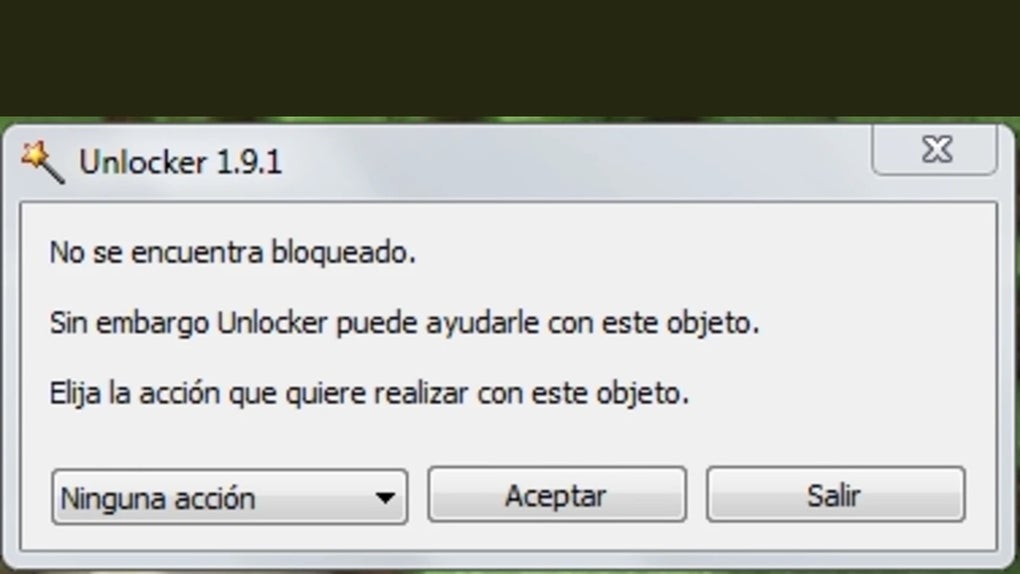
Unlocker.exeto launch the application. No installation is required. - Right-Click to Unlock: Navigate to the locked file or folder, right-click, and select "Unlocker" from the context menu. A pop-up window will appear listing all processes using the file.
- Take Action: Choose from options like "Kill Process," "Unlock," "Unlock All," or "Quit." Select the appropriate action based on your needs.
- Verify the Result: After unlocking, try opening, editing, or deleting the file. The error should no longer appear.
For users who want to customize the context menu, Unlocker 32 Bits offers a configuration option to enable or disable the right-click integration. This is useful if you’re concerned about system clutter or prefer to run the tool manually. The entire process takes less than a minute, and the tool remains lightweight even after multiple uses.
Compatibility & System Requirements
Unlocker 32 Bits is specifically designed for 32-bit Windows systems, ensuring compatibility with older hardware and legacy software. It runs smoothly on:
- Windows 7 (32-bit)
- Windows 8 (32-bit)
- Windows 10 (32-bit)
- Windows 11 (32-bit)
While newer 64-bit systems can technically run the 32-bit version, performance may be limited. For users with modern 64-bit Windows machines, a 64-bit version of Unlocker is recommended for optimal results. However, the 32-bit version remains a reliable choice for older computers or environments where system resources are constrained.
The software requires minimal system resources — just a few MB of RAM and disk space. It doesn’t need administrator privileges to run, though some actions (like killing processes) may require elevated permissions. This makes it ideal for users with limited access rights on shared or managed systems.
Despite its simplicity, Unlocker 32 Bits is a powerful tool for managing file locks, especially in enterprise or educational settings where file access issues are common. Its compatibility with a wide range of Windows versions ensures long-term usability, even on outdated systems.
Pros and Cons of Unlocker 32 Bits
Pros
- Completely Free: No hidden costs, ads, or trial periods — just download and use.
- Lightweight & Fast: Minimal impact on system performance, ideal for older machines.
- Easy to Use: Right-click integration makes it accessible to all skill levels.
- Effective Process Management: Can terminate processes that are locking files.
- Safe & Verified: No malware detected; safe for regular use.
Cons
- 32-bit Only: Not compatible with 64-bit Windows systems for optimal performance. False Antivirus Alerts: Some security software may flag it as suspicious due to low-level access.
- No Built-in Backup: Does not offer file backup before deletion.
- Limited Features: Focused on unlocking — lacks advanced file management tools.
Frequently Asked Questions (FAQ)
Conclusion: Take Control of Your Files with Unlocker 32 Bits
If you're tired of seeing "Access Denied" or "File in Use" errors, Unlocker 32 Bits is the free, secure solution you’ve been looking for. Its simple interface, right-click integration, and powerful process management make it a go-to tool for unlocking stubborn files and folders. Despite being a 32-bit application, it delivers reliable performance on older systems and remains lightweight, efficient, and easy to use. While some antivirus programs may raise false alarms, the tool is safe and verified as malware-free. Whether you're a student, office worker, or IT professional, this software helps you regain full control over your files without spending a dime.
Download Unlocker 32 Bits today and eliminate file lock issues once and for all. It’s a must-have tool for every Windows user who values efficiency and peace of mind.







